Component and story owners (beta)
In large codebases, no one person owns the whole UI. When a pull request touches a component, the person who owns it should review it, not whoever happened to get tagged. Component owners maps parts of your UI to the people responsible for them, so the right reviewers are added to the UI Review automatically.
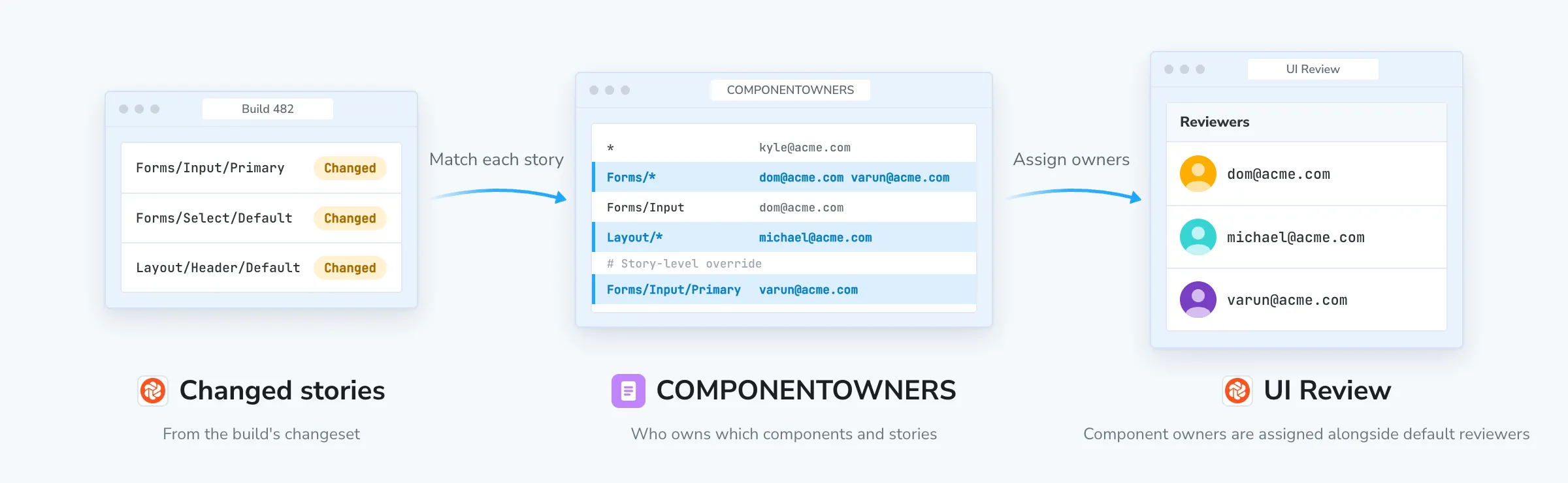
How to set up component owners
Chromatic reads a COMPONENTOWNERS file to decide who reviews each changed story. It’s a plain text file that works like a Git provider’s CODEOWNERS file.
Create a COMPONENTOWNERS file
Add a file named COMPONENTOWNERS to the root of your repository. Each line is a rule: a path pattern followed by one or more owners.
<path-pattern> <owner> [<owner> ...]Lines starting with # are comments, and blank lines are ignored.
Path patterns
Patterns match against a story’s Storybook path (its title followed by the story name), not the path of the stories file. For example, the Primary story of a component titled Forms/Input has the path Forms/Input/Primary.
| Pattern | Matches |
|---|---|
* | Every story |
Forms/** | Every story under Forms, at any depth |
Forms/Input/* | Every story of the Forms/Input component |
Forms/Input/Primary | Only the Primary story of Forms/Input |
Button | Any path whose last segment is Button |
Inside a path, * doesn’t cross a /, so Forms/* doesn’t match Forms/Input/Primary. Use ** to match stories at any depth.
Owners
List each owner by the email address associated with their Chromatic account. A rule can list several owners, separated by spaces. When a rule matches, all of its owners are assigned.
Example
# Fallback owner for every story (must come first)
*                         kyle@acme.com

# Design system
Forms/**                  dom@acme.com varun@acme.com
Forms/Input/*             dom@acme.com

# Navigation and layout
Layout/**                 michael@acme.com

# Story-level override
Forms/Input/Primary       varun@acme.com
Rule precedence
As with CODEOWNERS, the last matching rule wins. When several rules match a story, only the owners on the last matching rule in the file are assigned. Therefore, put general rules at the top and specific rules below them.
In the example above:
Layout/Header/Defaultis assigned tomichael@acme.com.Forms/Select/Defaultis assigned todom@acme.comandvarun@acme.com.Forms/Input/Defaultis assigned only todom@acme.com, becauseForms/Input/*comes afterForms/**.Forms/Input/Primaryis assigned only tovarun@acme.com, because the story-level override is the last matching rule.
⚠️ Put the catch-all * rule at the top of the file. If it’s the last line, it matches every story and overrides all the rules above it.
Owners are assigned after a build is completed
On every build, Chromatic takes each changed story in the UI Review’s changeset, finds the last matching rule in COMPONENTOWNERS, and assigns those owners as reviewers. Owners are added alongside your project’s default reviewers.
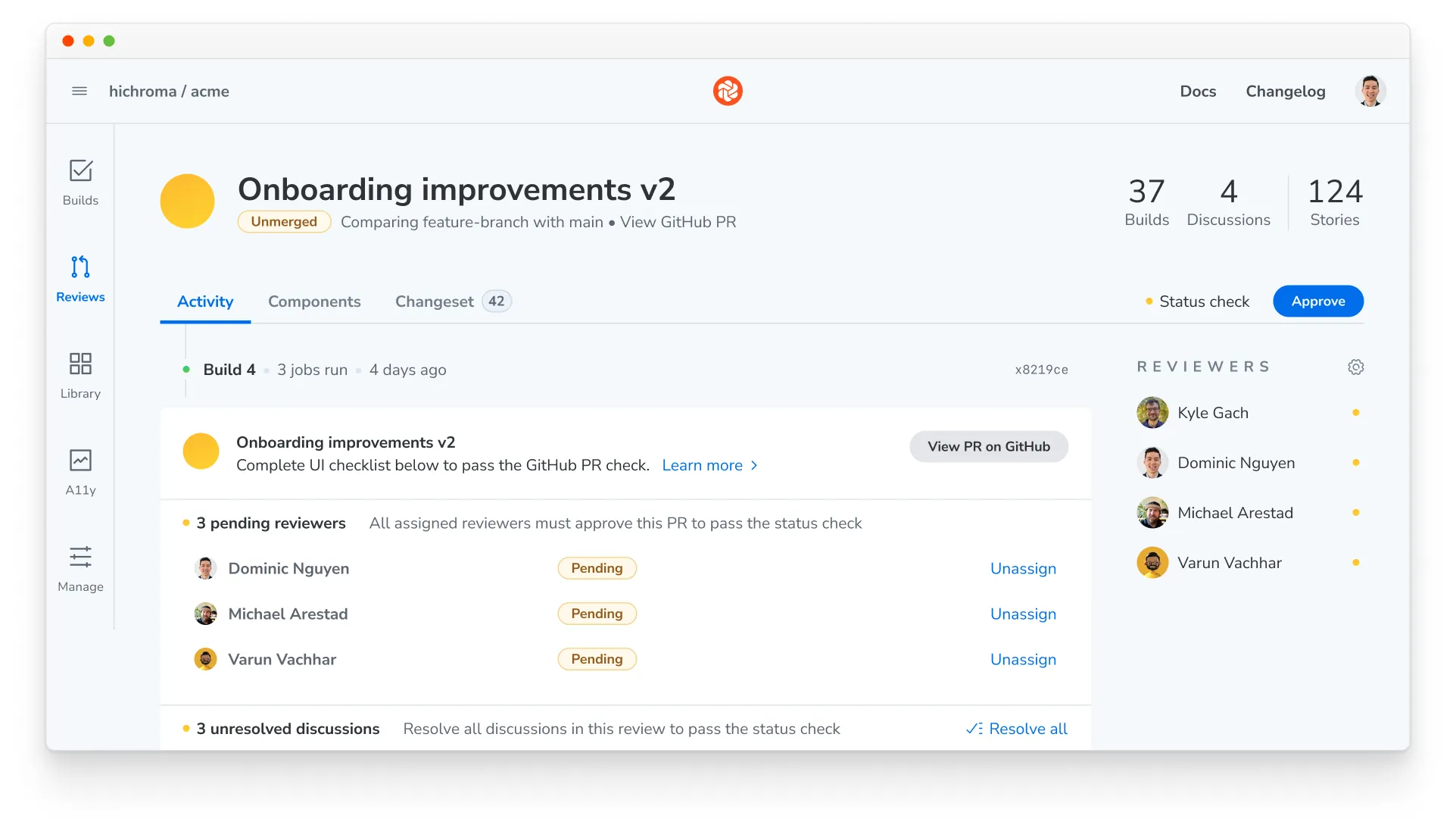
Assigned owners behave like any other reviewer. They’re notified about the Review, and every assigned reviewer must approve for the Review to pass. You can still add or remove reviewers on an individual Review.
Troubleshooting
Does Chromatic validate the COMPONENTOWNERS file?
No. Chromatic doesn’t check the file for errors. A malformed rule, a mistyped email, or a pattern that matches no stories is silently ignored, so double-check the file when you add or change rules.
Why isn't a component owner being assigned?
Check the following:
- Your project runs Chromatic CLI 18.8.0 or later.
- The email address matches the one on the person’s Chromatic account, and they’re a collaborator on the project.
- The pattern matches the story’s Storybook path, not its file path.
- A later rule in the file doesn’t also match the story and override the rule you expect.
If an owner is assigned but isn’t receiving emails, ask them to check their notification settings.
How do component owners work in a monorepo with multiple projects?
All projects in the repository share one COMPONENTOWNERS file. If several Storybooks have stories at the same path, a rule for that path assigns its owners in every one of those projects.
To keep ownership separate, namespace each Storybook’s stories with a unique top-level title (for example, Marketing/Button and App/Button instead of Button in both), then write rules against those namespaces.
Can I remove a component owner from a UI Review after they're assigned?
Yes. Assigned owners are regular reviewers, so you can remove them from an individual Review the same way you remove any other reviewer.